
• Skip to primary navigation
  • Skip to main content
  • Skip to primary sidebar
TrainTraq Help
Logo, Texas A&M University System, Office of Information Technology
  • Home
  • Employees
  • Managers
  • Processors
  • Registrars
  • Administrators
  • FAQs
  • News
  • Office of Information Technology
    • Services
    • Contact the Office of Information Technology
    • Search OIT
Home / Employee Topics / Remove Yourself from the Course Waitlist

Remove Yourself from the Course Waitlist

You may drop yourself from a course waitlist at any time.

To remove yourself from a course waitlist:

  1. Select the Home tab. Home tab is located at the top of the screen.
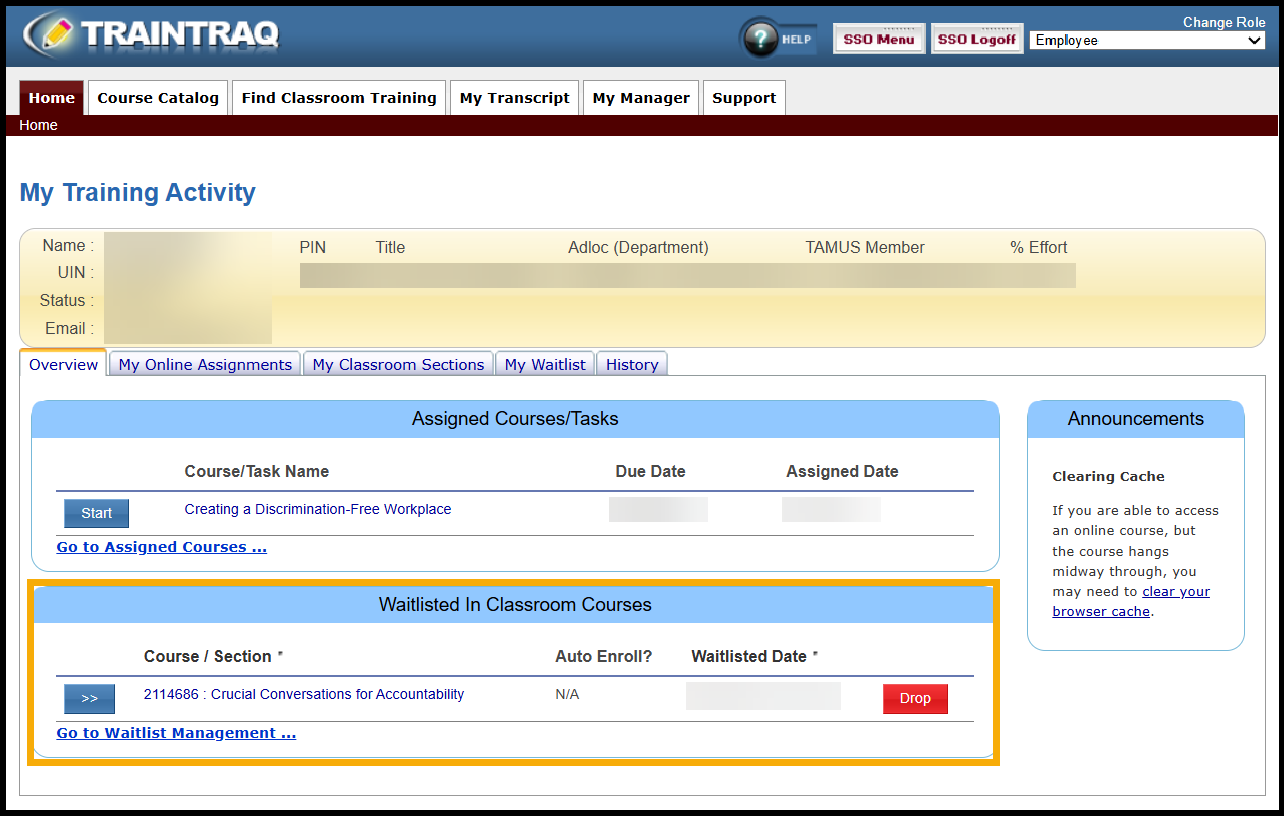
  2. Under the Overview subtab, find the Waitlisted In Classroom Courses Search for the course you are waitlisted for. The Waitlisted In Classroom Section is under the Overview subtab at the bottom of the page.
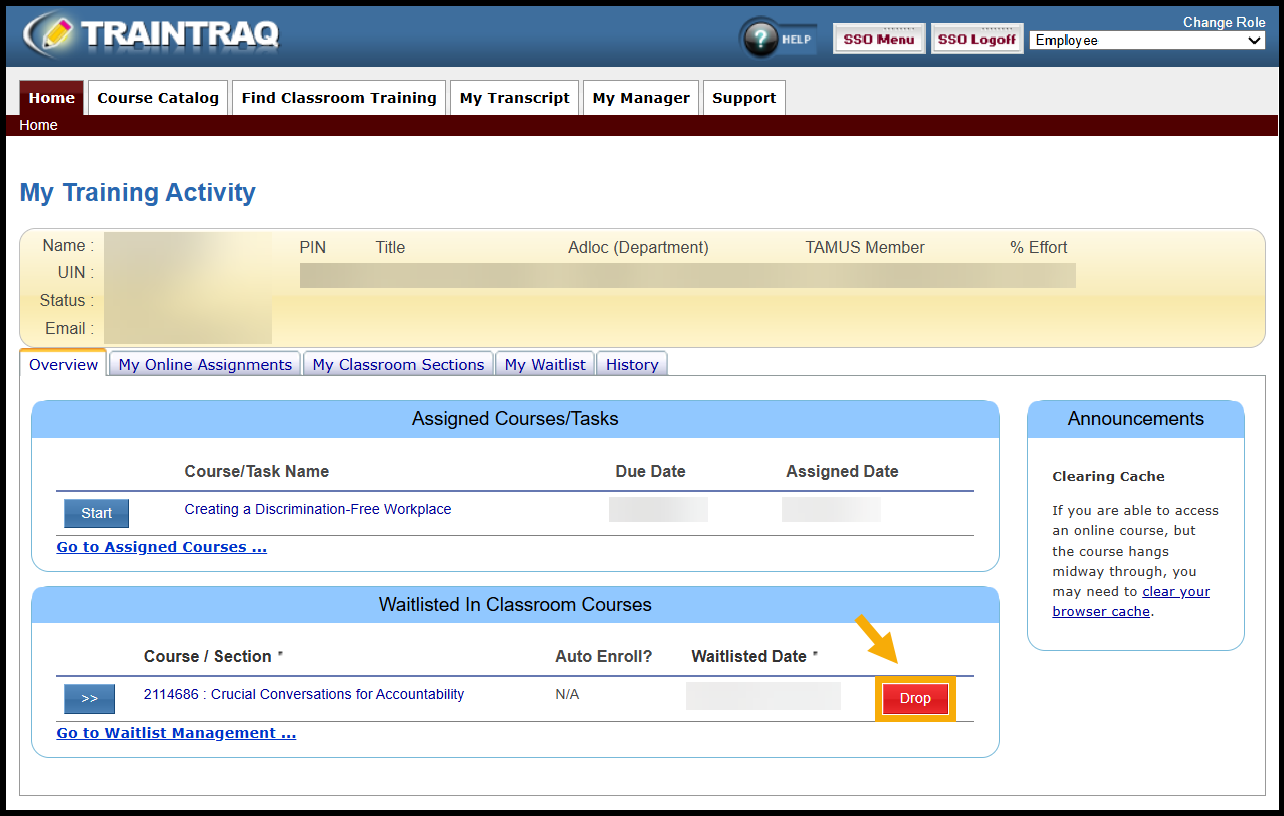
  3. Click the red Drop button to remove yourself from the course waitlist. The red drop button is to the right of the course information.
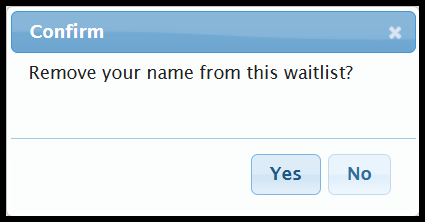
  4. Confirm that you would like to be removed from the waitlist by selecting Yes. Confirmation dialog box to be removed from the course waitlist
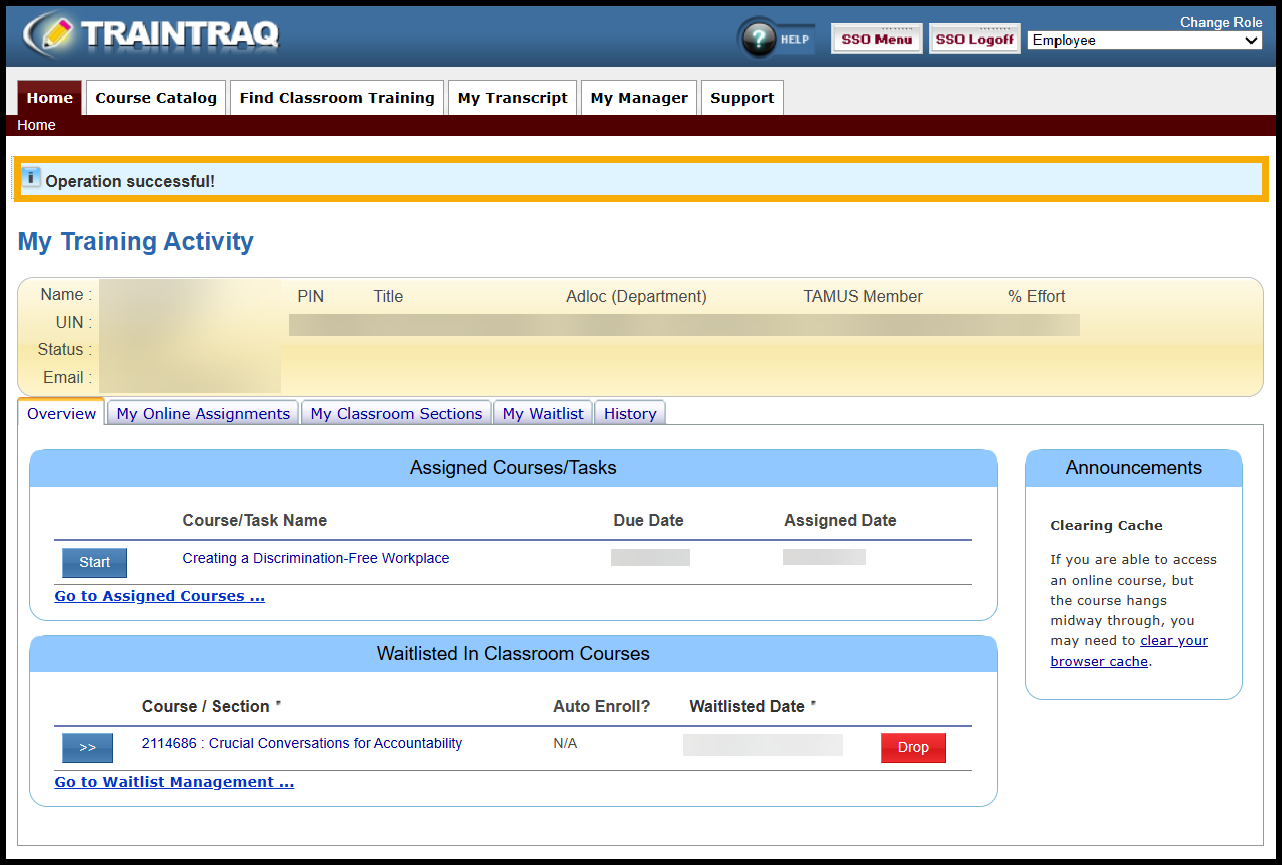
  5. A message displays at the top of the page to confirm that you have now been removed from the waitlist. Note: Refresh the page to see the course removed from the Waitlisted in Classroom Courses section. Operation Successful message appears at the top of your screen
Primary Sidebar

Quick Links

  • Contact Us
  • Logon to TrainTraq
  • Required Training for System Employees

Related Topics

  • The Home Page (for employees)
  • My Manager Page
  • Drop Registration for an In Classroom Training
  • Joining a Section Waitlist
  • Remove Yourself from the Section Waitlist
  • Joining a Course Waitlist
  • Adding and Removing Payment Information
  • Searching For and Selecting a Course (for employees)
  • The Course Details Page
  • Finding and Registering for In Classroom Training
  • Accessing and Reading Your Transcript
  • Adding Task Completions
  • Getting Support (for Employees)
  • Frequently Asked Questions—Employees

Copyright © 2026 Texas A&M University System All rights reserved.

301 Tarrow Street, College Station, TX 77840 | MAP | Phone: (979) 458-7700 | email: support@tamus.edu
State of Texas | Texas Homeland Security | Texas Veterans Portal | Statewide Search | Risk, Fraud & Misconduct Hotline | Privacy | Web Accessibility | State Link Policy | Campus Carry

Texas A&M University System
