
Overview
Provides guidance and control of the production of the monthly and biweekly payrolls
Page Loading...Checking SSO..

Overview
The Pay Cycle Event ensures each payroll is accurately calculated, reviewed, and settled on time. This process is initiated by IT Shared Services Operations and Support (ITOS) and involves coordination between Workday Services and Payroll offices across the A&M System.
This guide outlines the key phases of the Pay Cycle Event to help Payroll Partners and Managers understand when each step occurs and what their role is.
Key Points
- The Pay Cycle Event is initiated by ITOS and includes four major steps: Pay Cycle Initiation, Payroll Review and Preparation, Payroll Settlement, and Tax Data Review.
- Each step includes specific tasks for Payroll Partners and ITOS to complete in Workday.
- Payroll data entry, retro entries, and reviews must be completed prior to the settlement date.
- Reports and inbox tasks guide you through the process using the Pre-Payroll Dashboard.
- The Payroll Manager should monitor payroll status and verify all entries are correct and ready for processing.
- The last step of the business process is when tax filing data has been reconciled.
Important Information
- Use the Workday Production Calendar to determine when the Pay Cycle is initiated, when payroll will settle, and the associated pay dates.
- All pay results should be reviewed and ready for processing before midnight, and member confirmations of ready status by 9AM the morning of settlement.
- Members should follow internal SOPs to meet processing deadlines.
Pay Cycle Event Steps
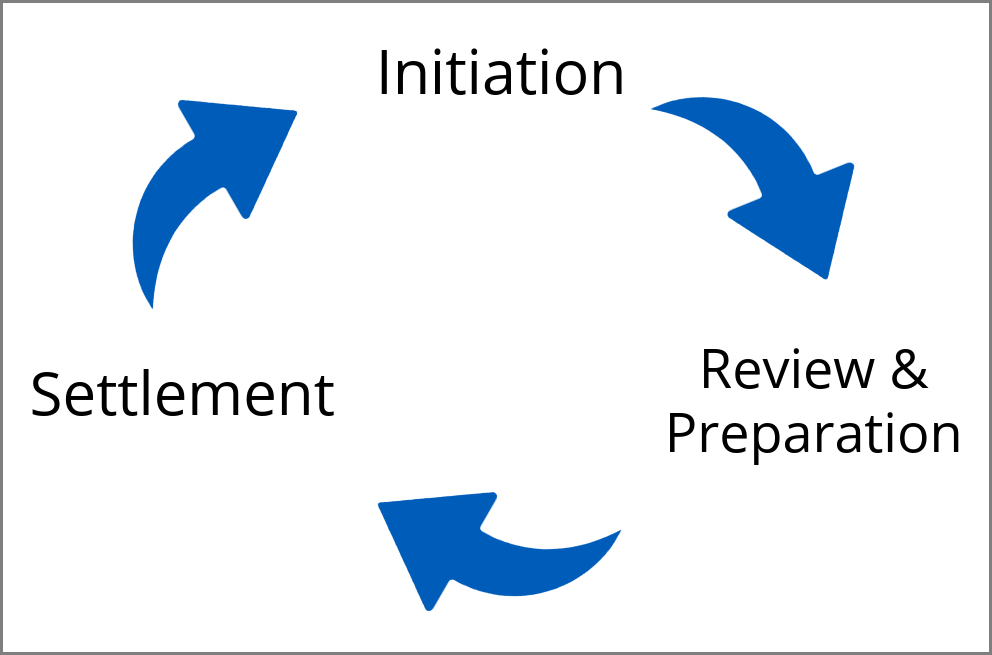
Step 1: Pay Cycle Initiation
- Who: ITOS
- What happens:
- Payroll cycle officially begins, generally a week before settlement
- Member Payroll Contacts are notified
- ITOS runs the initial Retro Pay Calculation for all members
Step 2: Payroll Review & Complete Retro and View Pay Results
- Who: Assigned Payroll Processors or Payroll Partners
- What happens:
- Use the Pre-Payroll Dashboard to track progress
- Complete any retro entries
- Review payroll calculations
- Confirm Payroll Completion by 9:00 a.m. on pay calculation/settlement date
Step 3: Payroll Settlement
- Who: ITOS
- What happens:
- Once all confirmations are received ITOS:
- Complete pay calculations and settle payroll
- Coordinates with Members on any last-minute issues
- Sends files to external systems including Wells Fargo (ACH, Positive Pay), FAMIS (Payroll history, reconciliations), Assure Pay (Check printing), Equifax, Navia, members for tax reconciliations, and others
Payroll Manager Responsibilities
Payroll Managers should
- Monitor payroll results, tasks, and reports using the Pre-Pay Dashboard
- Ensure all pay results are ready to go before pay calculations begin
- Encourage Payroll Partners to finish data entry by the day before pay calculation