• Skip to primary navigation
  • Skip to main content
Workday Services
Logo, Texas A&M University System, Office of Information Technology
  • Home
  • About
    • Workday
    • Governance
    • Key Performance Indicators
  • News and Updates
    • Alerts
    • Release Notes
    • Schedules
    • Upcoming Training Events
    • Monthly User Meetings
    • Biannual Workday Releases
  • Reporting
  • Training
    • Job Aids
    • Reference Guides
    • Video Help
    • Workday Curriculum
    • About Security Roles
    • Online Courses
    • Webinars
    • Learning Hubs
    • Glossary
  • Support
    • Frequently Asked Questions
    • Common Tasks
    • Request Forms
    • Get Help
  • Office of Information Technology
    • Services
    • Contact the Office of Information Technology
    • Search OIT
Home / Job Aids / Review ORP Eligibility Document

Review ORP Eligibility Document

Print

This job aid details the activities for a Benefits Partner to provide the ORP Information Acknowledgement Statement to an ORP eligible worker during the Hire or Change Job business process.

Page Loading...Checking SSO..
Login with SSO to see this content.

Important Information

  • The ORP Eligibility Documents step is triggered when an Employee is found to be eligible for ORP as part of the New Hire Onboarding or the Change Job event business process.
  • The Benefits Partner will print the document for the Employee, have the Employee sign it and load it back into Workday.

Getting Started

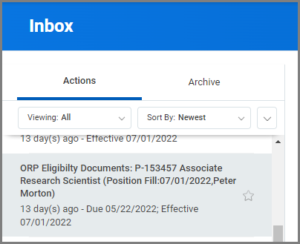
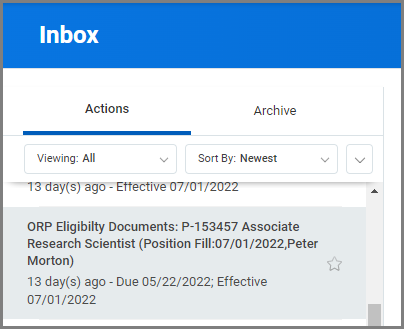
During the hiring process, the Benefits Partner will receive the ORP Eligibility Documents inbox task.

  1. Select on the ORP Eligibility Documents inbox item.An inbox with the ORP elgibility task selected
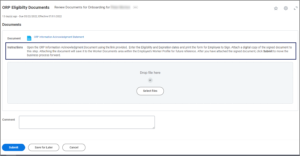
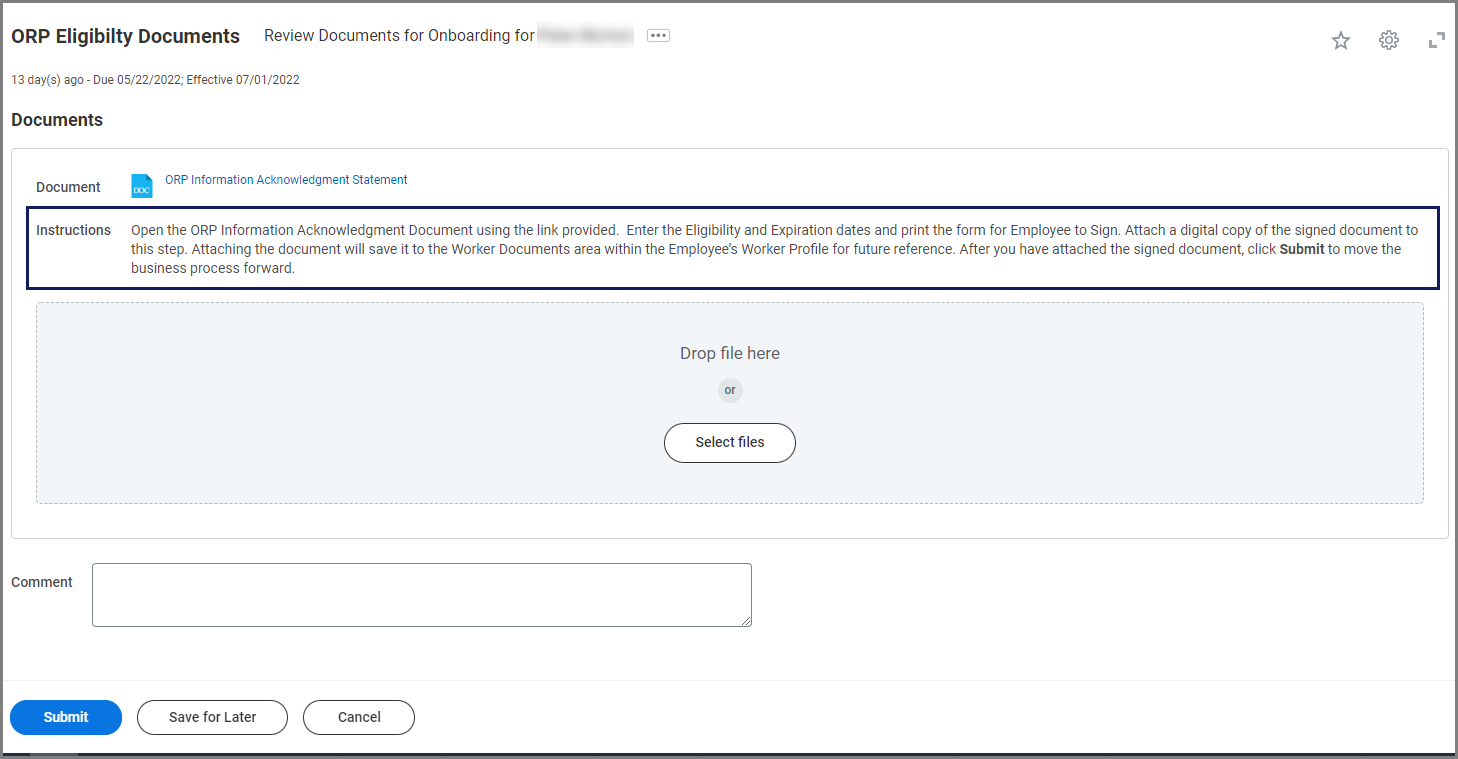
  2. Read the instructions carefully.the ORP eligibility Documents task
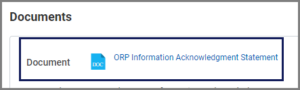
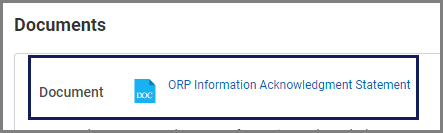
  3. Open the attachment by selecting the link.The ORP Elibility Documents task with the documents section highlighted
  4. Complete the dates, print the form and provide it to the Employee for signature.
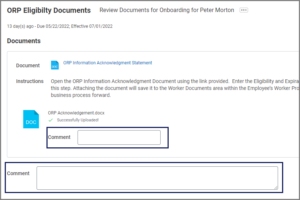
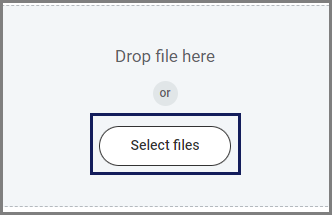
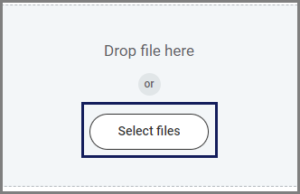
  5. When the signed document is received from the Employee, scan the document and attach it to this task using the Select Files button.
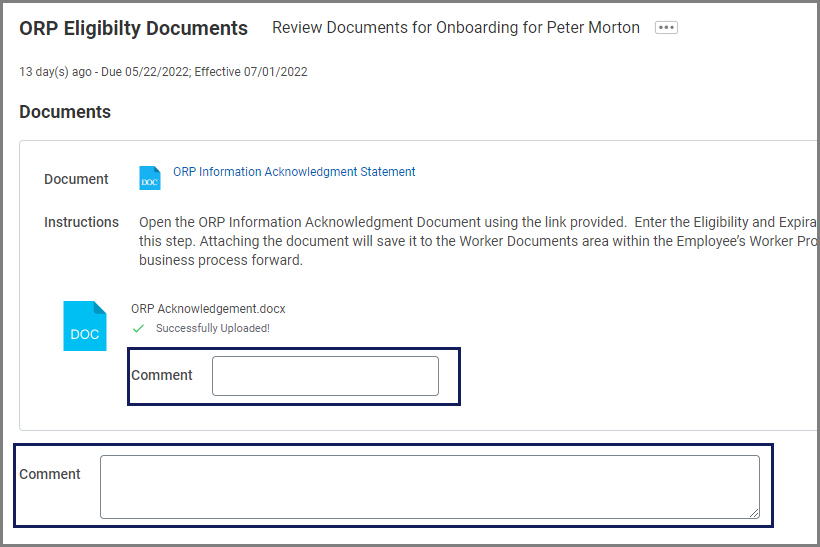
  6. Add comments as needed.Note: Comments are permanent in the system and viewable to be others
  7. Select Submit.

This completes the Review ORP Eligibility Documents task.

Copyright © 2025 Texas A&M University System All rights reserved.

301 Tarrow Street, College Station, TX 77840 | MAP | Phone: (979) 458-7700 | email: support@tamus.edu
State of Texas | Texas Homeland Security | Texas Veterans Portal | Statewide Search | Risk, Fraud & Misconduct Hotline | Privacy | Web Accessibility | State Link Policy | Campus Carry

Texas A&M University System