• Skip to primary navigation
  • Skip to main content
Workday Services
Logo, Texas A&M University System, Office of Information Technology
  • Home
  • About
    • Workday
    • Governance
    • Key Performance Indicators
  • News and Updates
    • Alerts
    • Release Notes
    • Schedules
    • Upcoming Training Events
    • Monthly User Meetings
    • Biannual Workday Releases
  • Reporting
  • Training
    • Job Aids
    • Reference Guides
    • Video Help
    • Workday Curriculum
    • About Security Roles
    • Online Courses
    • Webinars
    • Learning Hubs
    • Glossary
  • Support
    • Frequently Asked Questions
    • Common Tasks
    • Request Forms
    • Get Help
  • Office of Information Technology
    • Services
    • Contact the Office of Information Technology
    • Search OIT
Home / Job Aids / Manage Your Personal Information

Manage Your Personal Information

Print

This job aid outlines the process for employees, retirees and contingent workers to manage personal information in Workday such as Gender, Date of Birth, Race/Ethnicity, Citizenship Status, Nationality, and Military Status.

Page Loading...Checking SSO..
Login with SSO to see this content.

Important Information

  • Some changes require supporting documentation to be provided to your HR Staff.
  • If you have any questions, you should contact your HR Contact for your department.

Getting Started

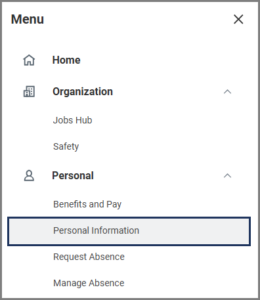
  1. From the Workday Menu, select the Personal Information application.The Personal Information application
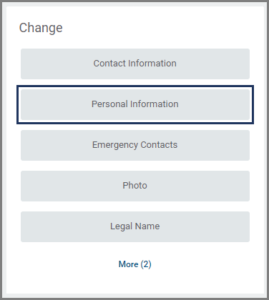
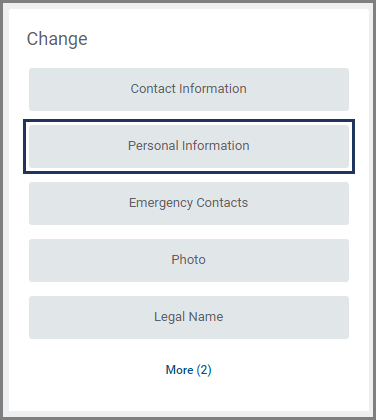
  2. Under Change, select Personal Information.The Personal Information button
  3. Your personal information will be displayed under Gender, Date of Birth, Race/Ethnicity, Citizenship Status, Nationality, and Military Status. Edit these sections as needed.

Note: Nationality is a required field and must be completed.

  1. Enter any comments as needed.
  2. Select Submit.The submit button

Note: Do not upload a copy of any government documents unless asked to do so.

Up Next

If you changed your Date of Birth, Citizenship Status, and/or Nationality, the business process will route to relevant individuals (e.g., the HR Partner) for additional approval steps.

This completes the Manage Your Personal Information business process.

Copyright © 2025 Texas A&M University System All rights reserved.

301 Tarrow Street, College Station, TX 77840 | MAP | Phone: (979) 458-7700 | email: support@tamus.edu
State of Texas | Texas Homeland Security | Texas Veterans Portal | Statewide Search | Risk, Fraud & Misconduct Hotline | Privacy | Web Accessibility | State Link Policy | Campus Carry

Texas A&M University System