
• Skip to primary navigation
  • Skip to main content
TrainTraq Help
Logo, Texas A&M University System, Office of Information Technology
  • Home
  • Employees
  • Managers
  • Processors
  • Registrars
  • Administrators
  • FAQs
  • News
  • Office of Information Technology
    • Services
    • Contact the Office of Information Technology
    • Search OIT
Home / Workstation & Departmental Processor Role Topics / The Employee Groups Page

The Employee Groups Page

The Employee Groups page allows you to:

  • Search for and view employee groups
  • Create, edit, and remove employee groups

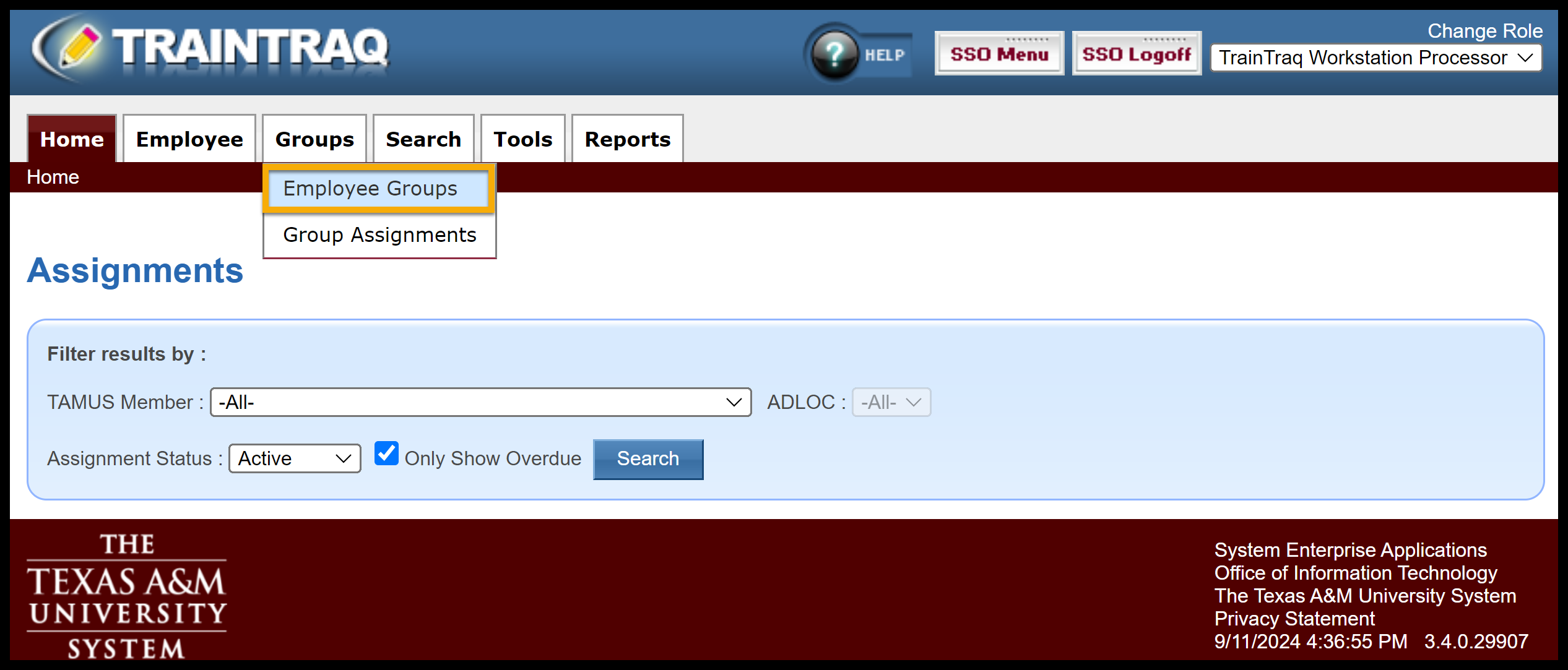
To access this page, click the Groups tab, then Employee Groups.
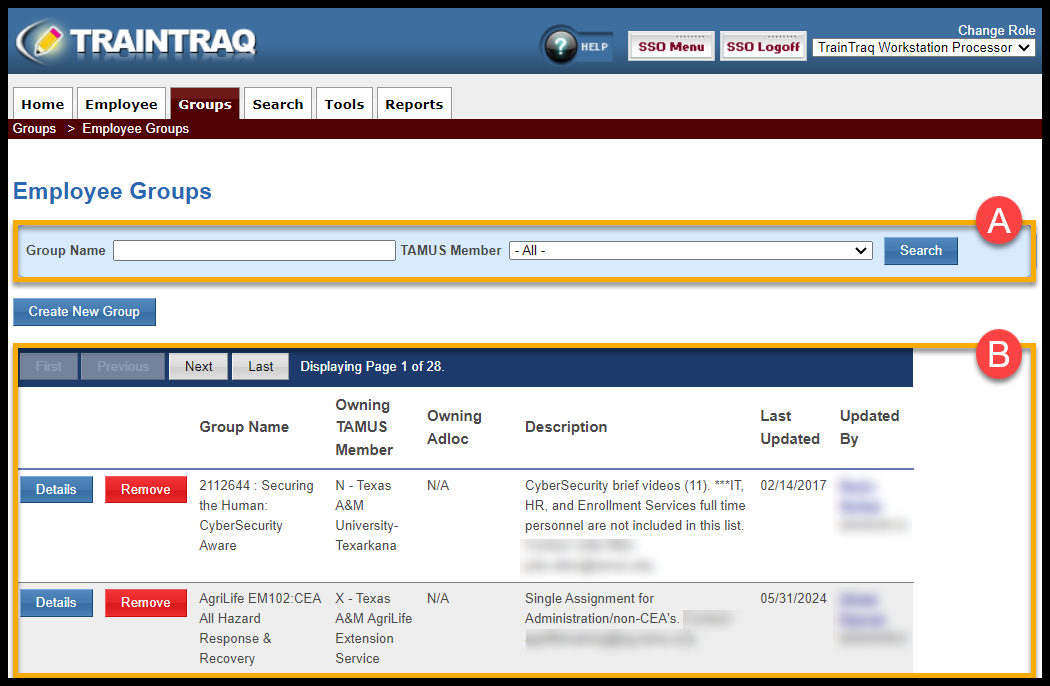
The Employee Groups page consists of two main sections:

  1. The Group Search section allows you to search for a group by Name and TAMUS Member (i.e., workstation.)
  2. The Employee Group List section displays a list of groups to which you have access.
To learn more about creating, editing, and removing employee groups, refer to the following:

  • Creating a New Employee Group
  • Viewing, Editing, and Removing Employee Groups

Copyright © 2025 Texas A&M University System All rights reserved.

301 Tarrow Street, College Station, TX 77840 | MAP | Phone: (979) 458-7700 | email: support@tamus.edu
State of Texas | Texas Homeland Security | Texas Veterans Portal | Statewide Search | Risk, Fraud & Misconduct Hotline | Privacy | Web Accessibility | State Link Policy | Campus Carry

Texas A&M University System