
The Courses page allows you to search for and view all courses in the catalog(s) for which you have access.
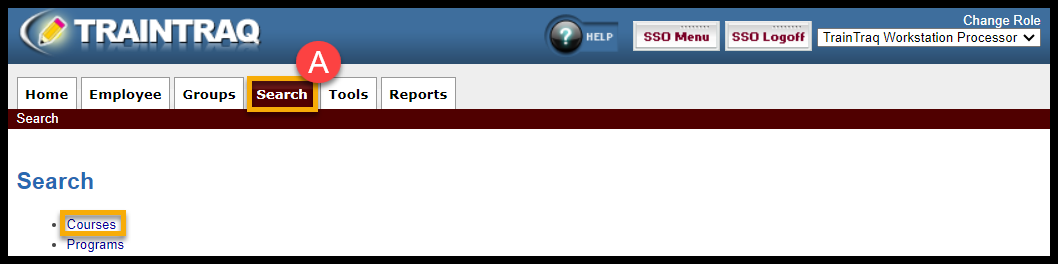
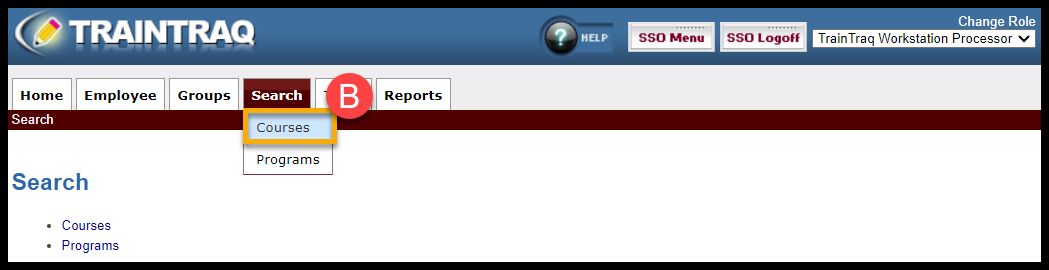
To access the Courses page:
- You can either A) click on the Search tab then select Courses, or B) hover over the Search tab and click on Courses.
There are two ways to search for and select a course: you can either use the course filter section or scroll through the course listing.
To search for and select a course using the course filters:
- Complete one or more of the fields in the course filter section. You can filter by:
- Course Name
- Course Number
- Category
- TAMUS Member (also known as Workstation)
- Course Tag
- Course Type
- Course Status
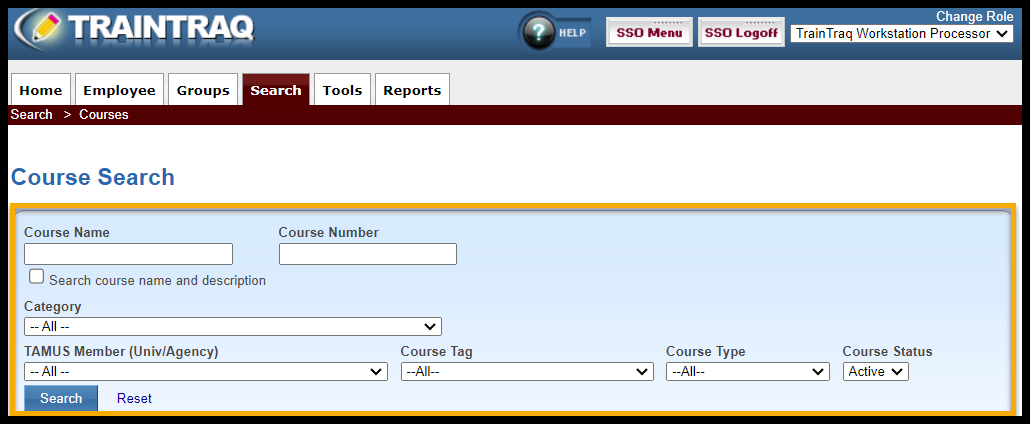
Note: If you want to search through both course names and course description text, enter your keyword(s) into the Course Name field, and select the “Search course name and description” checkbox located below the Course Name field.
- Press Enter or select Search to display the results. The course listing displays the course number, name, description, owning TAMUS Member/NodeAdloc (Workstation), CEU credit, CPE credit, and course type for each course displayed.
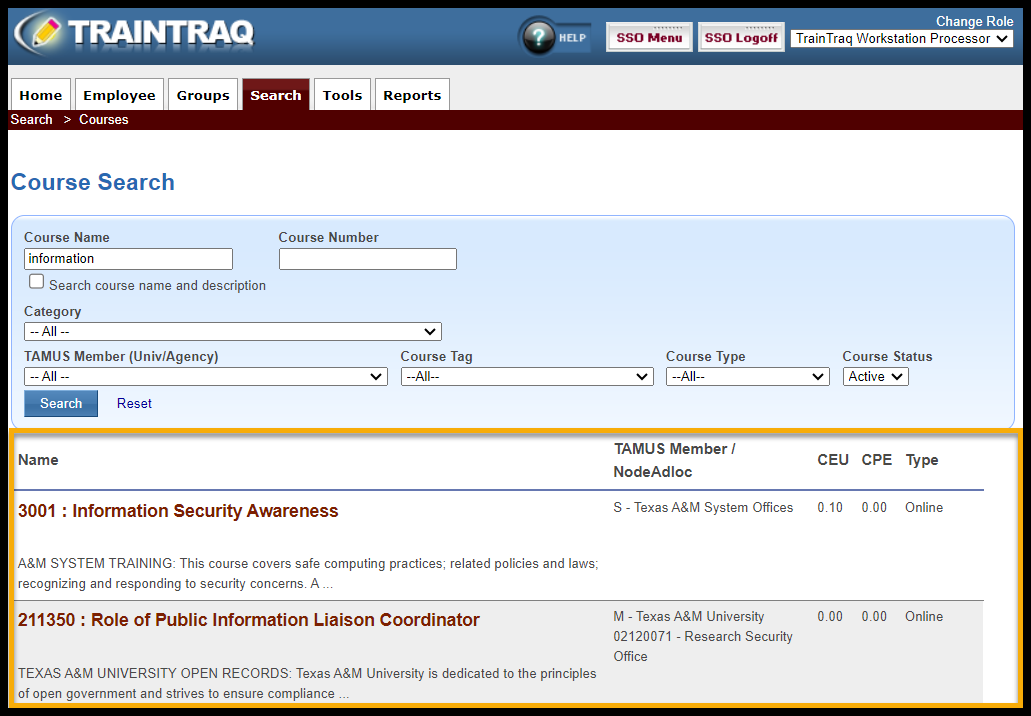
- Select the desired course from the course listing by clicking the course name.
To search for and select a course by scrolling through the course listing:
- Locate the desired course by scrolling through the list of courses and using the paging buttons located at the top and bottom of the course listing.
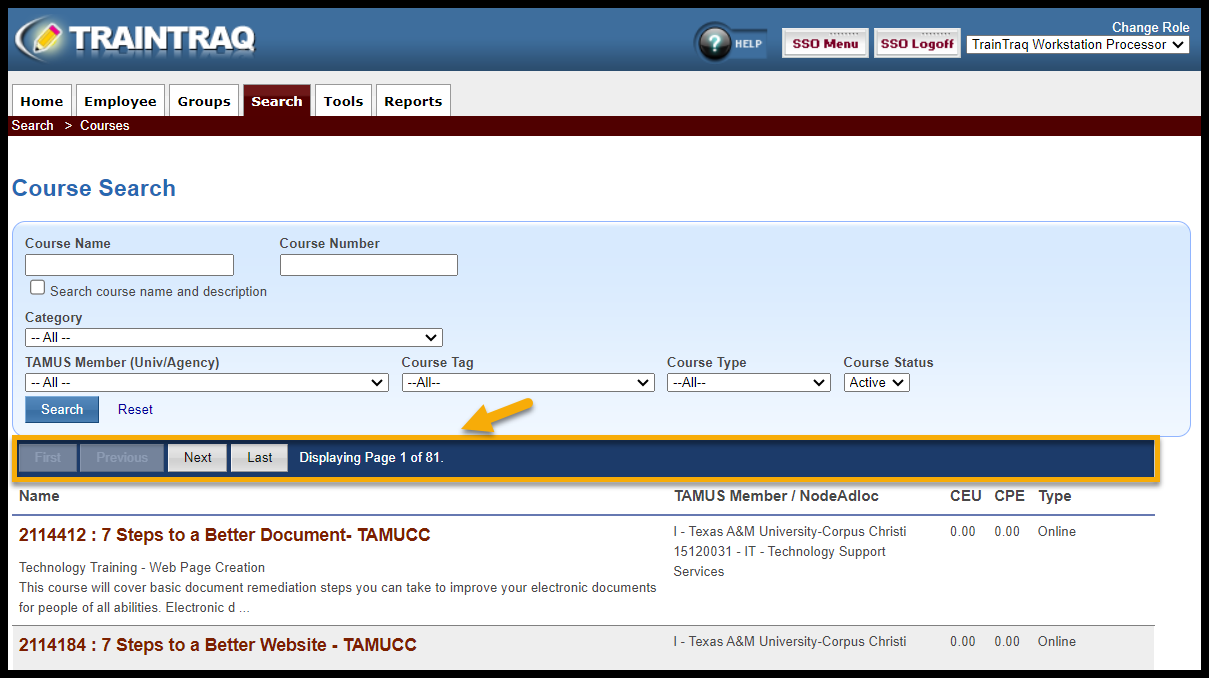
- Select the desired course from the course listing by clicking the course name.