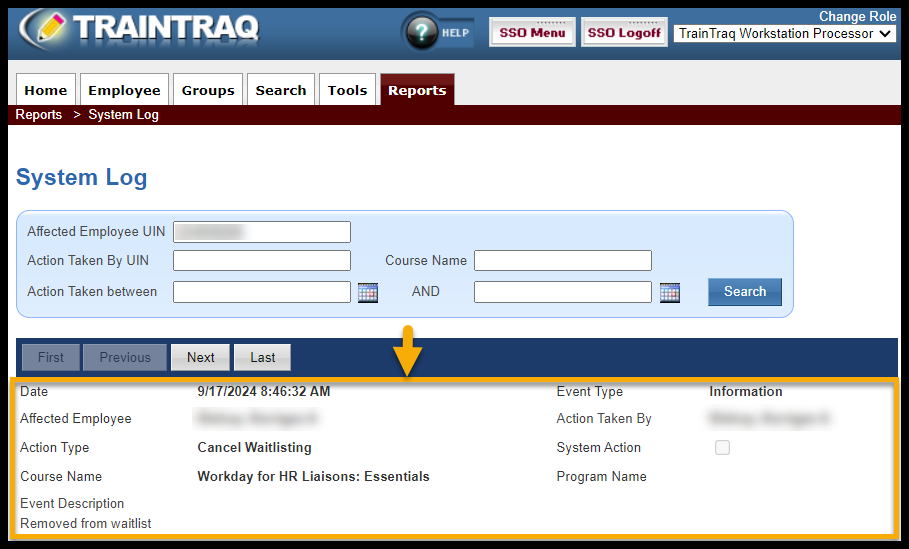
The System Log Report page allows you to review certain details that affect an employee’s UIN in TrainTraq or actions taken by a specific employee in TrainTraq.
NOTE: You need the employee’s UIN to access this report. Also, this report is only viewable on screen.
The page covers:
- How to access the System Log page
- Information available on the System Log page
To access the System Log page:
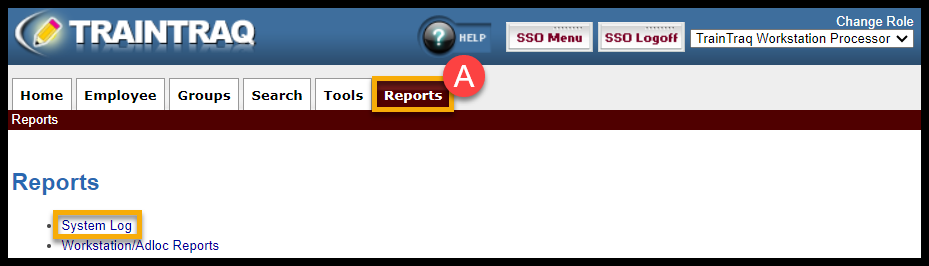
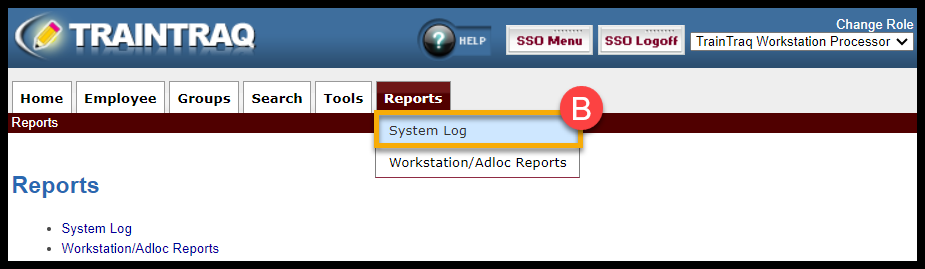
- You can either: A) click on the Reports tab, then select System Log or B) hover over the Reports tab and click on System Log.
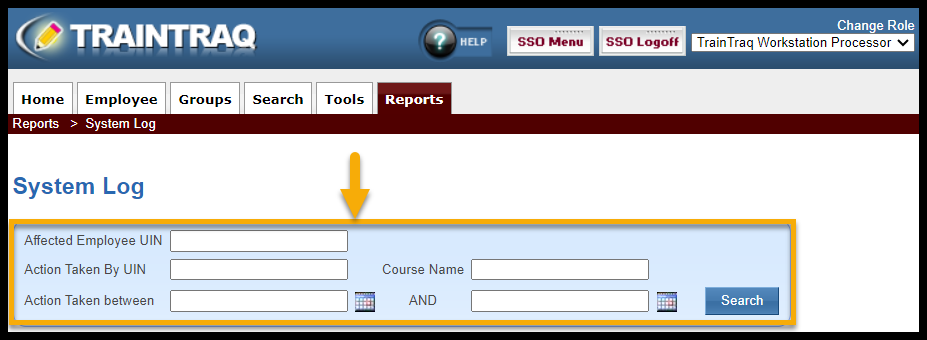
- Complete one or more of the fields in the System Log filter section. You can filter by:
- Affected Employee UIN
- Action Taken By UIN
- Course Name (Name of the TrainTraq course)
- Action Taken between dates
- Select Search to display the results. The log listing section displays the following:
- Date (provides the date and time the action was taken)
- Event Type (the event type can be Information or Warning/Error if the assignment wasn’t made)
- Affected Employee (provides the name of the affected employee)
- Action Taken By (provides the name of who completed the action)
- Action Type (provides a brief description of the action that was taken)
- System Action (the box will be checked if an action was taken by TrainTraq)
- Course Name (Name of the TrainTraq course)
- Program Name
- Event Description (provides information about the event)