• Skip to primary navigation
  • Skip to main content
TrainTraq Help
Logo, Texas A&M University System, Office of Information Technology
  • Home
  • Employees
  • Managers
  • Processors
  • Registrars
  • Administrators
  • FAQs
  • News
  • Office of Information Technology
    • Services
    • Contact the Office of Information Technology
    • Search OIT
Home / Manager Topics / The Programs Page / Performing a Program Search (Manager Role)

Performing a Program Search

The Programs page allows you to search for and view all programs in the catalog(s) for which you have access. To search for and select a program:
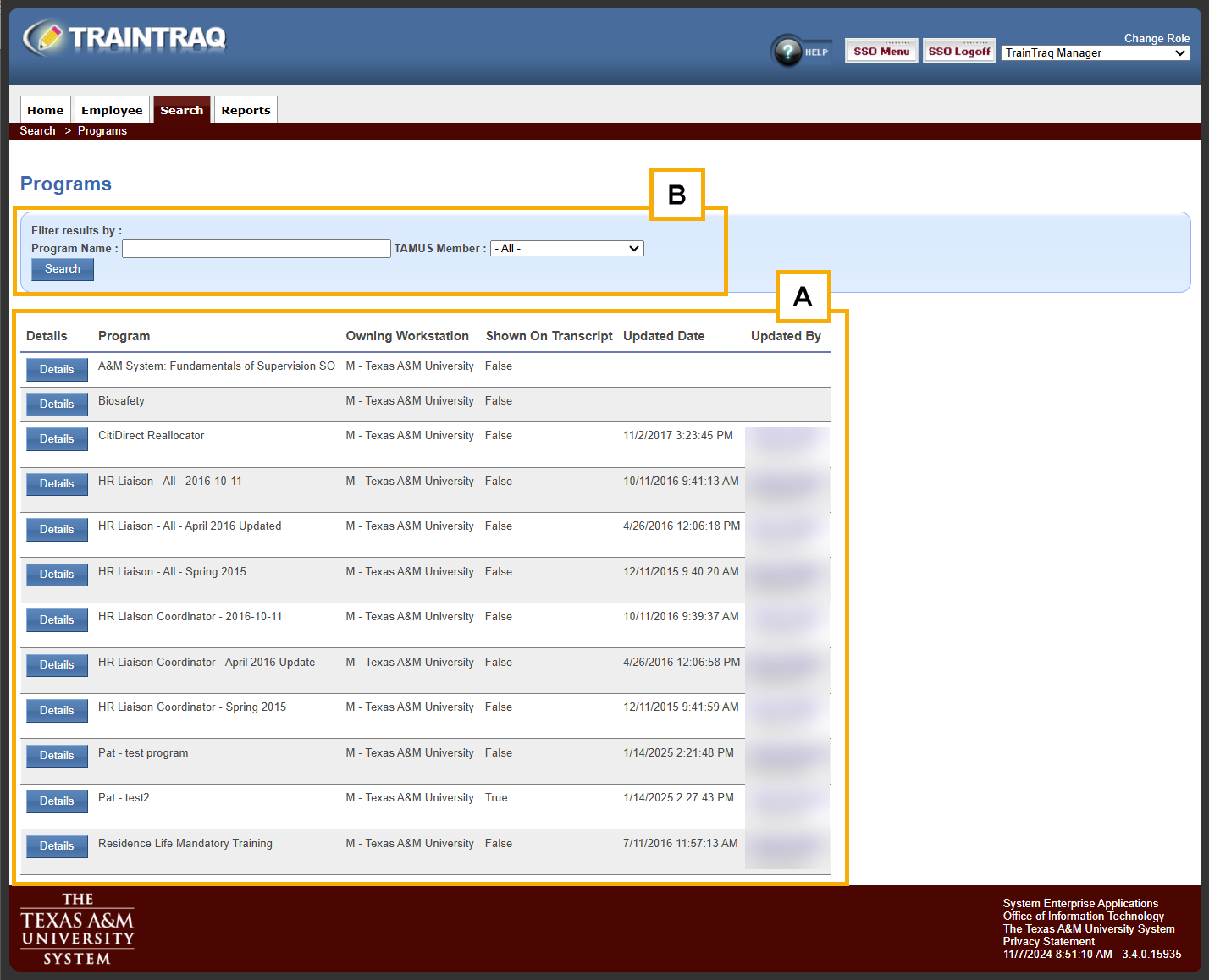
  1. Click the Programs option in the Courses tab menu. The Programs page displays. All programs available to you are listed at the bottom of the page.
  2. Locate the desired program. To do so, you can choose to:TrainTraq Manager role Program Search page with Filter results by area highlighted and marked B and program search results list highlighted and marked A.
    1. Scroll down the list of programs and use the paging buttons located at the top and bottom of the program listing to locate the program.
    2. Complete one or more of the fields in the “Filter results by:” section at the top of the Programs page. You can search by Program Name and/or Workstation. When finished, click the Search button. The list of programs displayed at the bottom of the Programs page updates to reflect the search criteria entered.
    For each program, the program listing displays the program name, owning workstation, and whether or not completion of the program will be automatically displayed on an employee transcript when all courses are completed.
  3. Click the Details button to the left of the desired program. The Program Details page displays, which lists the courses included in the selected program.

Copyright © 2026 Texas A&M University System All rights reserved.

301 Tarrow Street, College Station, TX 77840 | MAP | Phone: (979) 458-7700 | email: support@tamus.edu
State of Texas | Texas Homeland Security | Texas Veterans Portal | Statewide Search | Risk, Fraud & Misconduct Hotline | Privacy | Web Accessibility | State Link Policy | Campus Carry

Texas A&M University System