
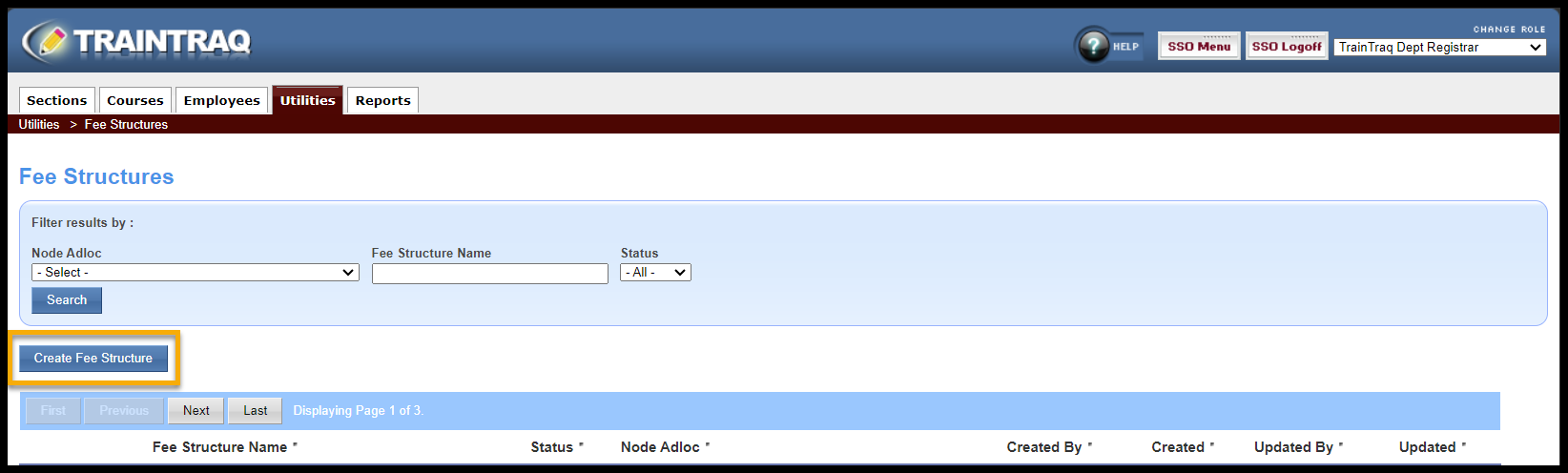
From the Fee Structures screen, select Create Fee Structure to create a new structure.
The Fee Structure Management Screen will appear. Information will need to be entered for each box/field.
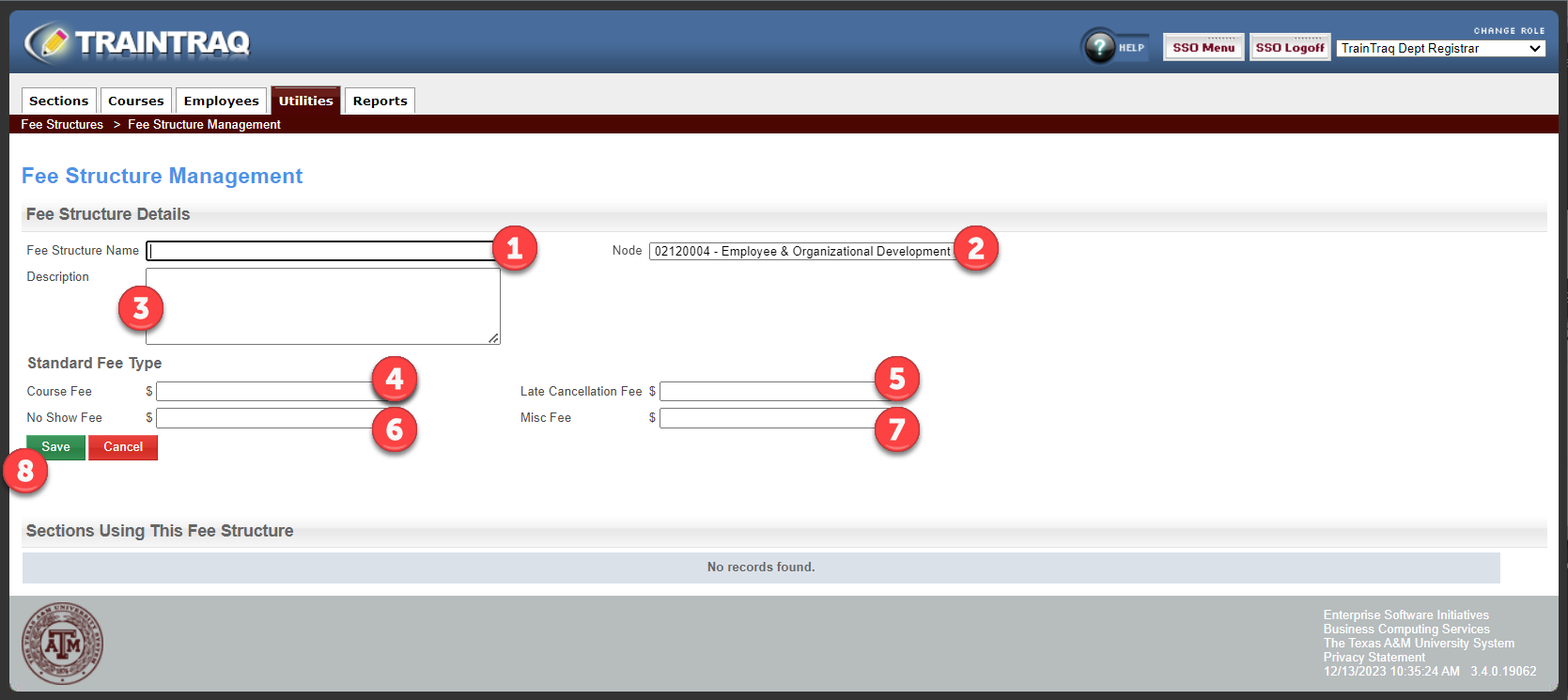
- Fee Structure Name: The name is designed to help identify the fee type without having to access the details. Some examples would be Free No Cost; No Show Fee Only; 4-hour course fee.
- Node: This will default to your node Adloc account. If you have multiple node Adlocs, use the drop-down menu to select the appropriate one.
- Description: This is a free text box to enter information to assist in identifying the fee structure.
- Course Fee: This is the price being charged for the course, i.e. 100.00. The course fee entered should be the fee that will be charged to the majority of the attendees. For no fee, enter 0.00.
- Late Cancellation Fee: If your department charges a fee to persons who cancel their registration after the set cancellation date, enter the amount in the box. For no fee, enter 0.00.
- No Show Fee: If your department charges a fee to those who have registered and do not show for the class, enter the amount in the box. For no fee, enter 0.00.
- Fee: If your department provides books or course material for which you charge, enter the amount in the box if the cost has not been included in the course fee. For no fee, enter 0.00.
- Once all boxes have been completed, hit Save. The fee structure will now appear on the fee structure list.