
• Skip to primary navigation
  • Skip to main content
TrainTraq Help
Logo, Texas A&M University System, Office of Information Technology
  • Home
  • Employees
  • Managers
  • Processors
  • Registrars
  • Administrators
  • FAQs
  • News
  • Office of Information Technology
    • Services
    • Contact the Office of Information Technology
    • Search OIT
Home / Departmental Registrar Topics / Sections Tab / Section Management

Section Management

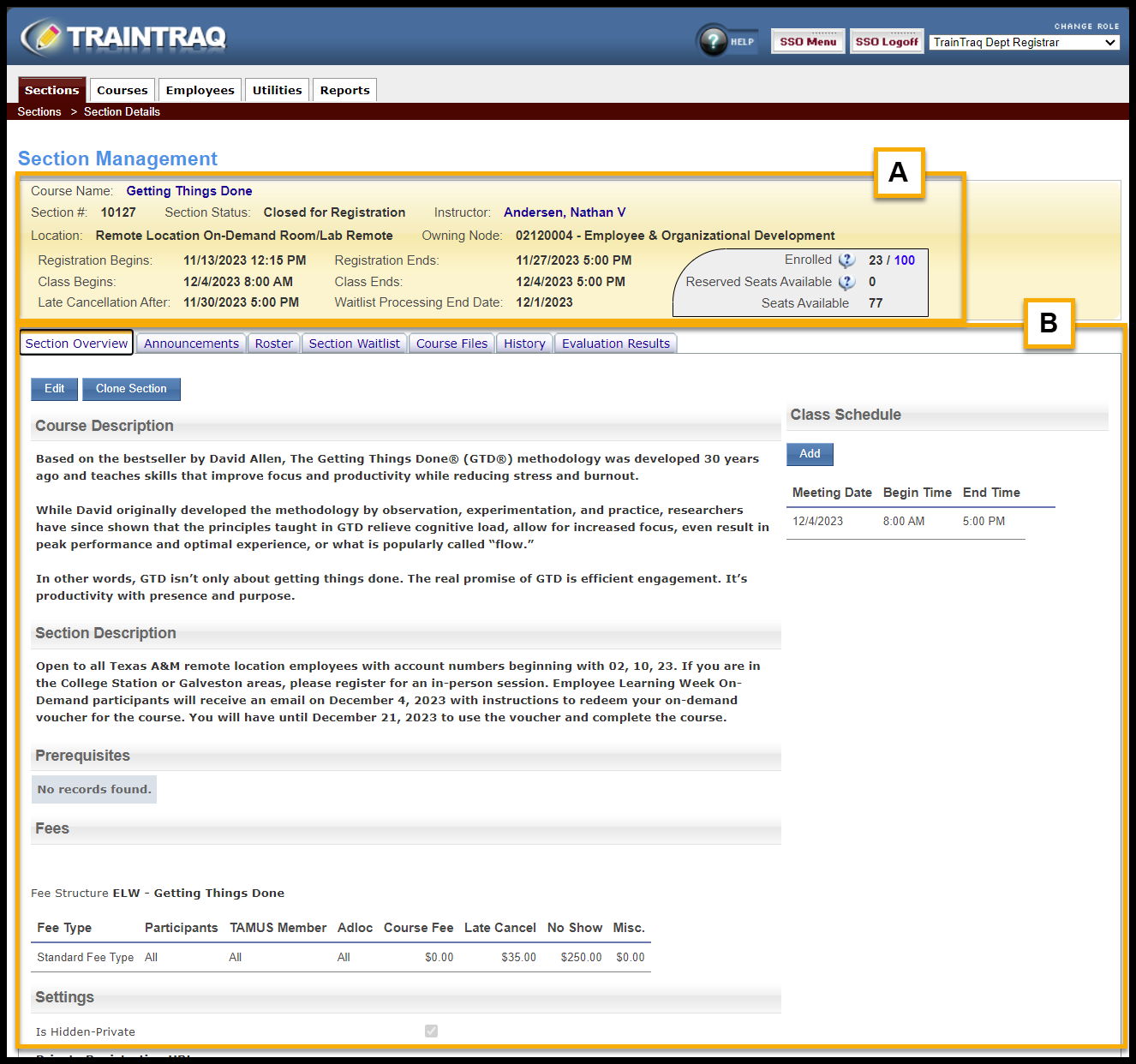
The Section Management screen allows you to view information about a selected section and perform tasks such as sending announcements, marking section attendance, printing rosters, reviewing the section waitlist, or making files available to download.

  1. The top section of the screen provides information about the section.
  2. The bottom section of the screen defaults to the Section Overview tab which includes more detailed information including Course Description, Section Description, Prerequisites, and Fees associated with the section.
Copyright © 2026 Texas A&M University System All rights reserved.

301 Tarrow Street, College Station, TX 77840 | MAP | Phone: (979) 458-7700 | email: support@tamus.edu
State of Texas | Statewide Search | Texas Homeland Security | Texas Veterans Portal | State Link Policy | State Auditor’s Office Fraud, Waste or Abuse Hotline | Compact with Texans | Campus Carry | Report Risk, Fraud & Misconduct | Privacy | Open Records | Linking Policy | Fraud Policy | Digital Accessibility | Accommodations

Texas A&M University System