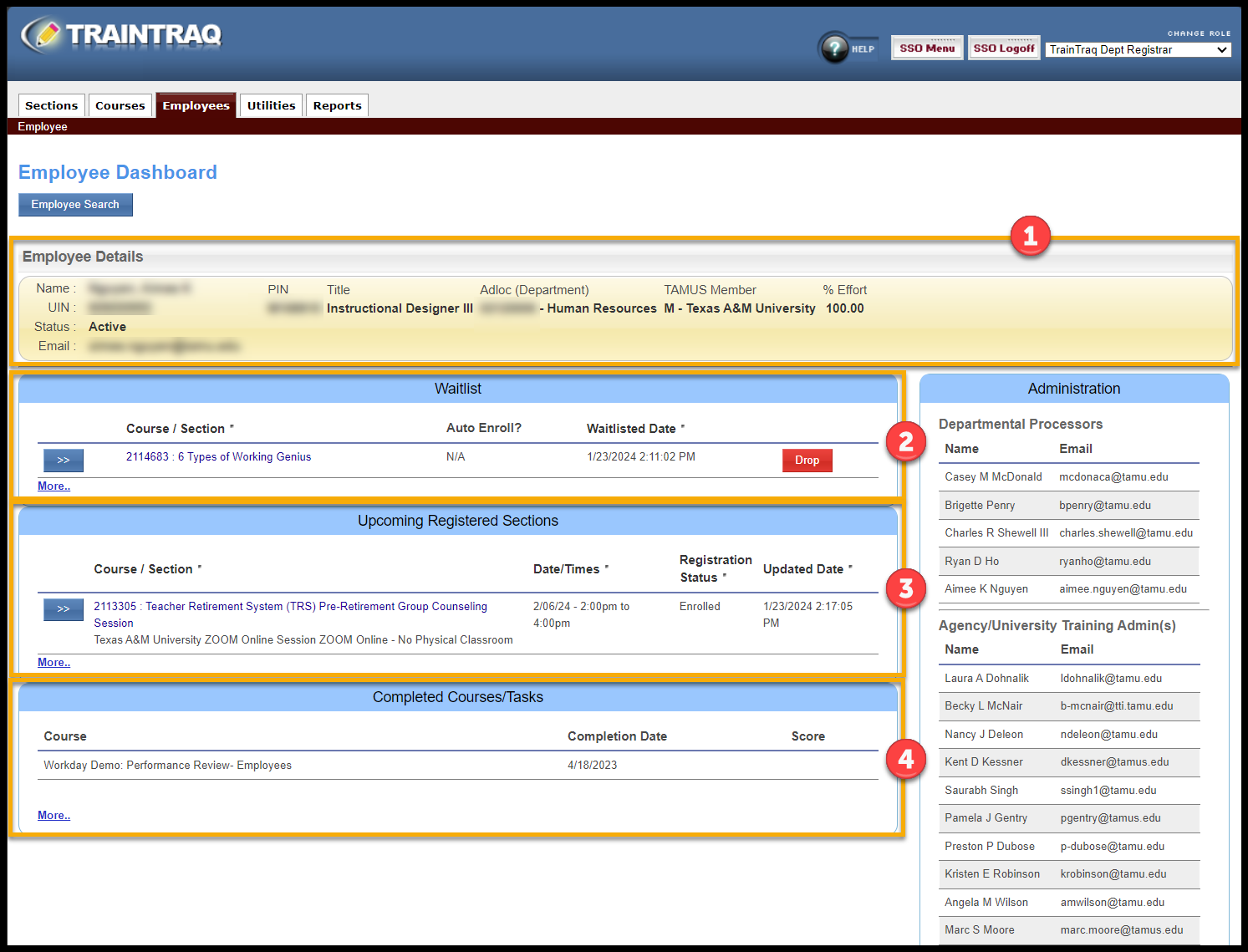
The Dashboard will provide a quick overview of the employees’ training. The Dashboard view includes the following:
- Employee Details – information from Workday on the selected employee.
- Waitlist – information on in classroom courses the employee is waiting to register to attend. Employees may be removed from the Waitlist by selecting the Drop button. Additional information for this section may be accessed by selecting the More…
- Upcoming Registered Sections – provides information on in classroom courses an employee is registered to attend. Additional information for this section may be accessed by selecting the More…
- Completed Courses/Tasks (Transcript) – information on courses/tasks an employee has completed. Additional information for this section may be accessed by selecting the More… link. In this section you may print the employee training transcript by selecting the Adobe icon on the right side.