

CPE Requirements:
See the Step-by-Step Instructions below for more information and assistance on each requirement listed.- While registering for Journey, select Yes to the CPE Credit question
- Attend eligible sessions live
- Answer all three poll questions during each session
- Complete the Session Survey for each session for which you are requesting CPE credit
After the Conference:
CPE certificates will be issued by the Texas A&M University System Office. If all requirements are met, certificates are expected to be mailed by the end of January. Please note that delays may occur. If you have not received your certificate by January 30, contact us at support@tamus.edu.Step-by-Step Instructions
1. Select Yes to the CPE Credit question during registration
If you have already registered but need to review or change your answer, follow these steps: Select the images to view larger. Use the back button in your browser to return to this page.-
- From the Journey event landing page, login to your account.
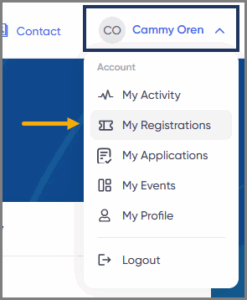
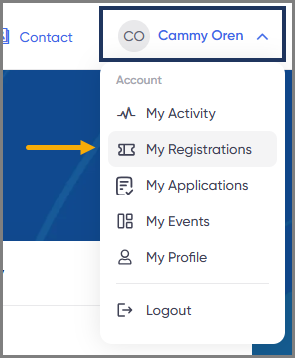
- Select your name in the top right corner, then select My Registrations.
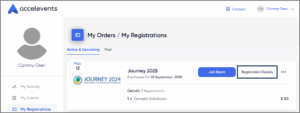
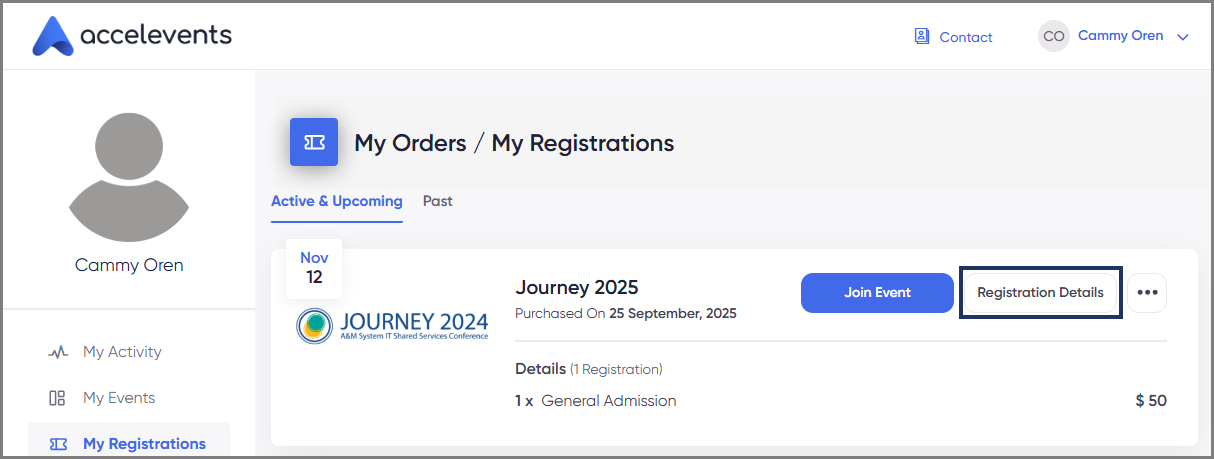
- On the Journey event tile, select Registration Details.
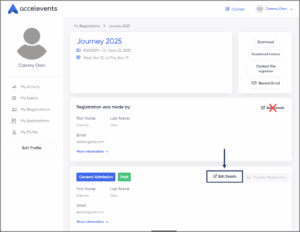
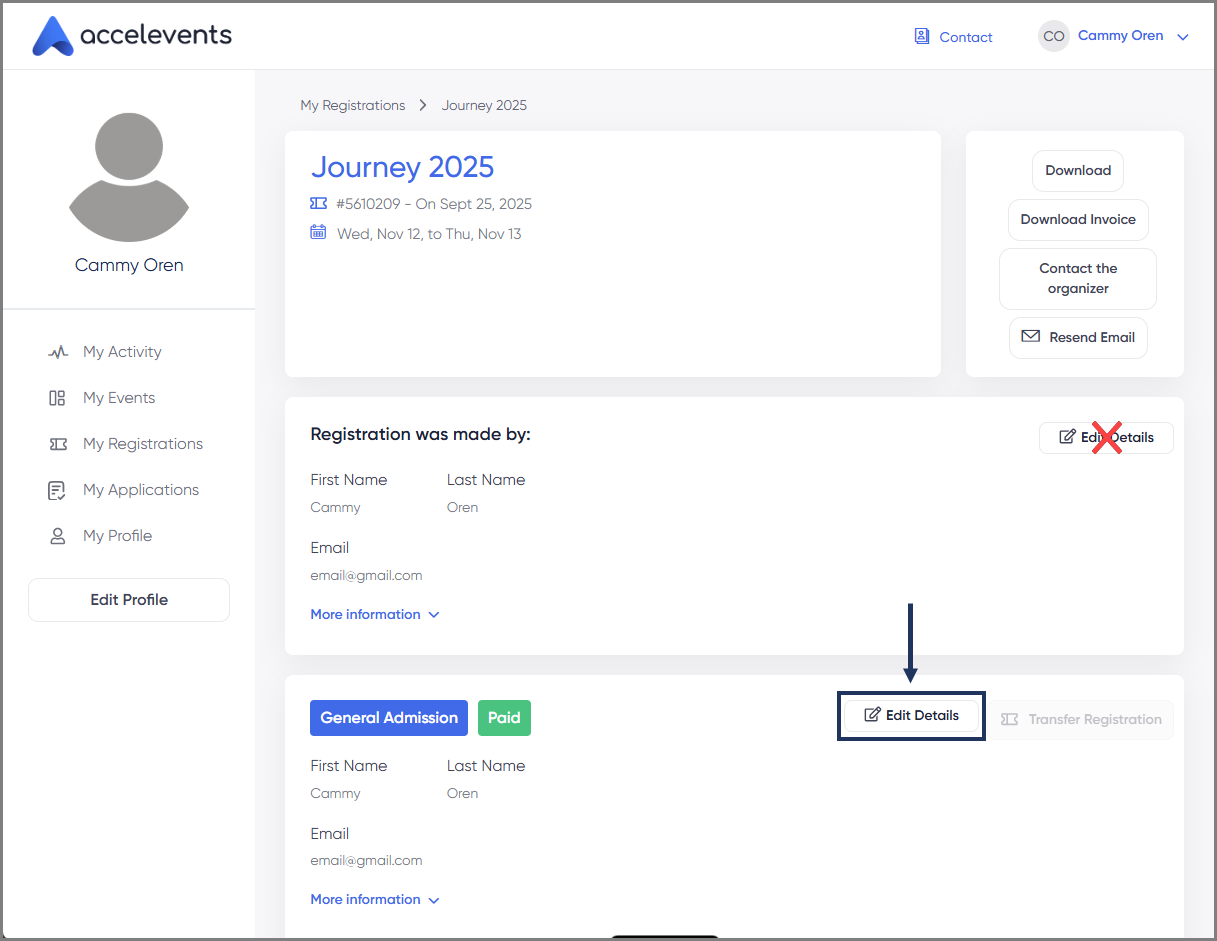
- In the bottom box, select Edit Details.
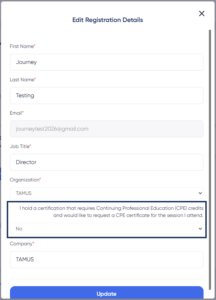
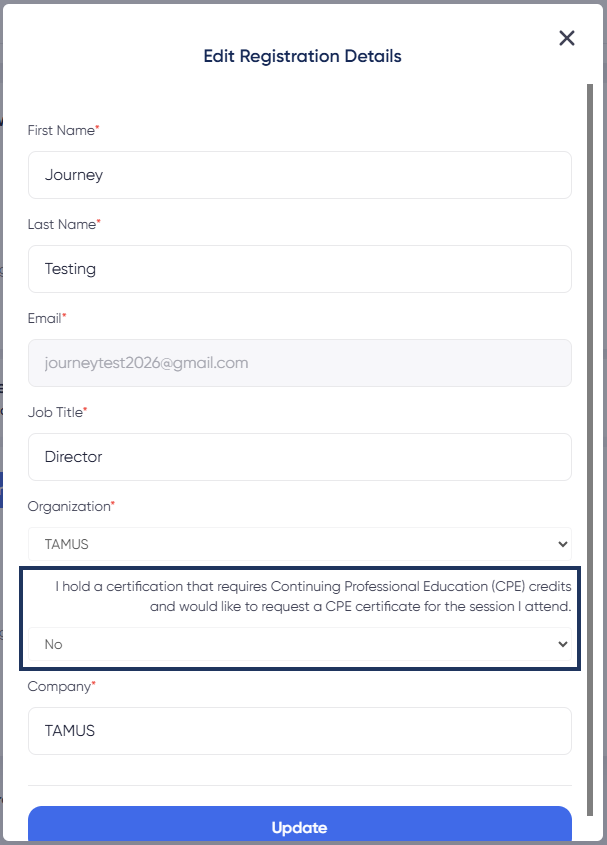
- In the box that appears, scroll to the bottom and look for the question I hold a certification that requires Continuing Professional Education (CPE) credits and would like to request a CPE certificate for the sessions I attend.
- Select the drop down menu to change your answer and select Update.
2. Attend Eligible Sessions Live
-
- All sessions are eligible for CPE Credit.
- CPE Credit is only awarded for attending the live session. Watching a recording does not count.
- You must attend at least 85% of the session to receive credit.
3. Answer All Three Poll Questions During Each Session
-
- Polls will appear approximately 15, 30, and 45 minutes into the session.
- You must answer “Yes” to each poll to document your attendance for CPE Credit.
- These responses are used to verify that you were present throughout the session.
4. Complete the Session Survey
-
- The survey will become available as soon as the session ends by appearing on your screen.

- If you don’t complete the survey immediately, you can access it later on the Regular Sessions page by selecting the Complete Survey button.

- The survey will become available as soon as the session ends by appearing on your screen.

