
• Skip to primary navigation
  • Skip to main content
  • Skip to primary sidebar
Earning Codes
Logo, Texas A&M University System, Office of Information Technology
  • Home
  • FAQs
  • What’s New
  • Office of Information Technology
    • Services
    • Contact the Office of Information Technology
    • Search OIT
Home / Earning Codes / Request Process / How-To: Request a New Earning Code

How-To: Request a New Earning Code

To request a new earning code, you must first be an authorized user of the Earning Codes database in the Requester role. See User Setup for more information.

1. Log in to the Earning Codes application in Quick Base – https://tamus.quickbase.com/db/bqckiccab

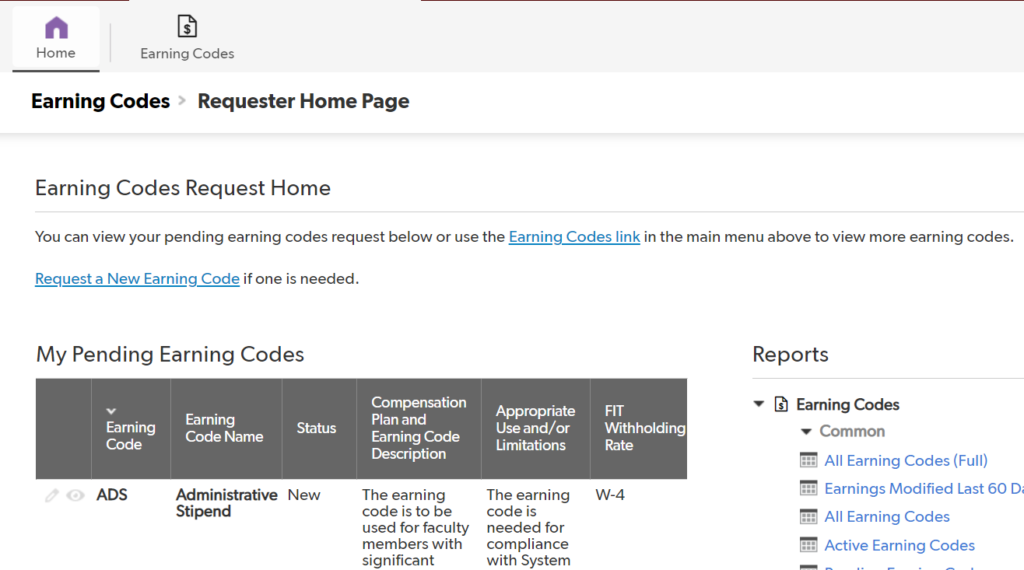
2. Select “Request a New Earning Code” on the Earning Code Request Home.
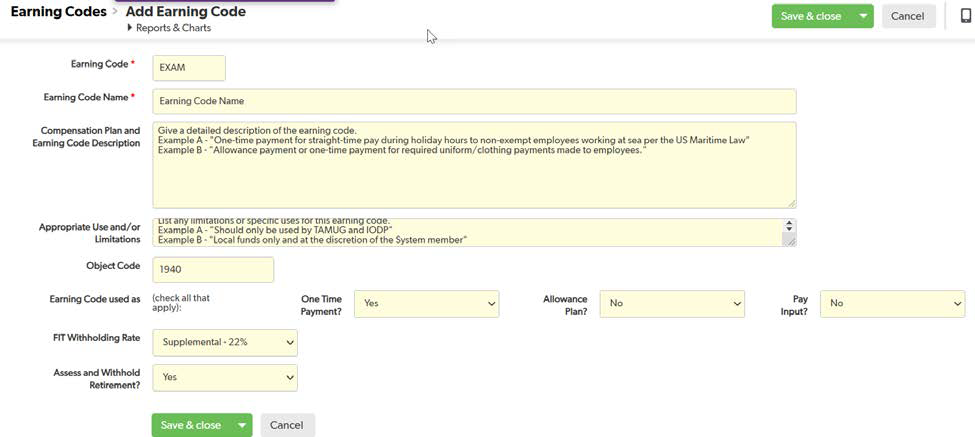
3. Complete each field and select “Save & close”.
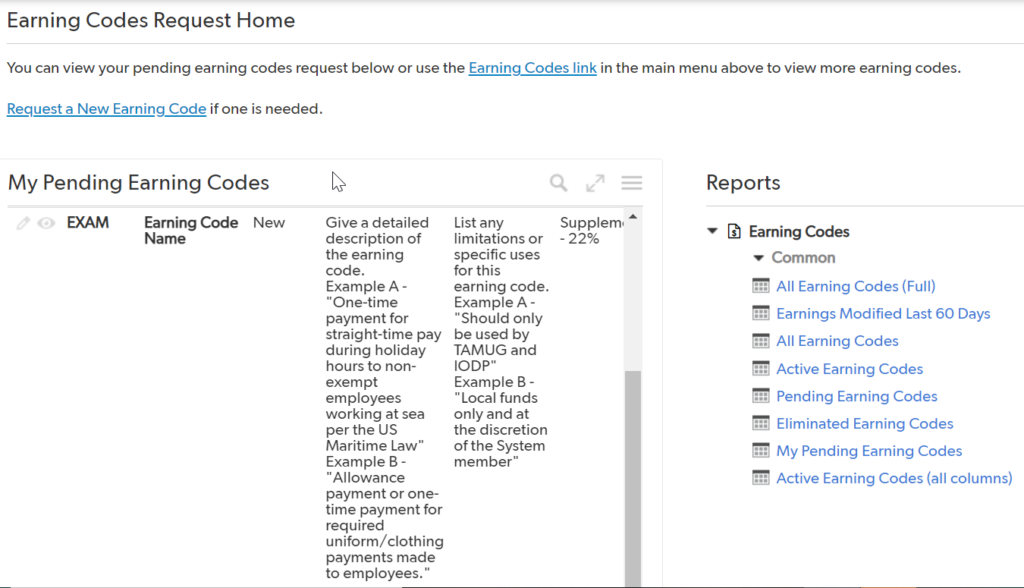
4. Find and select the Earning Code you just created from the list of “My Pending Earning Codes”.
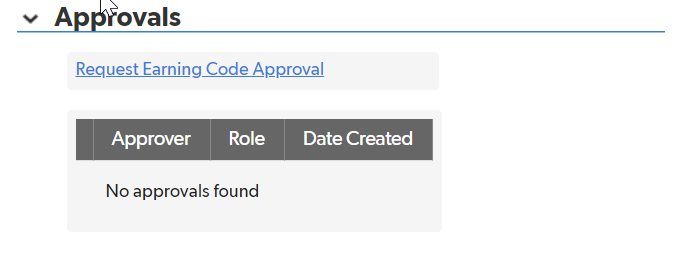
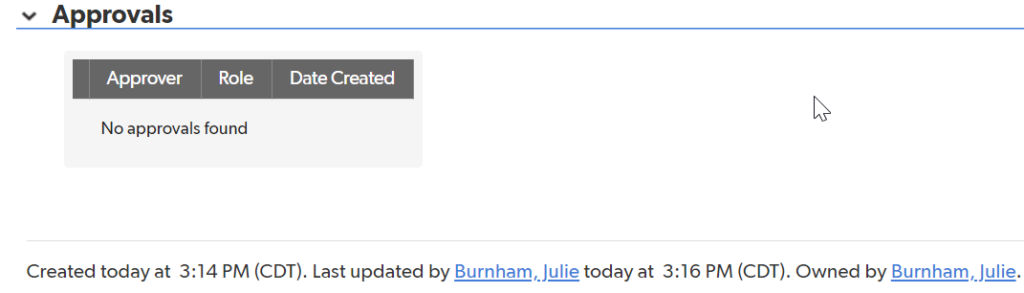
5. Scroll to the very bottom of the page and select “Request Earning Code Approval”.
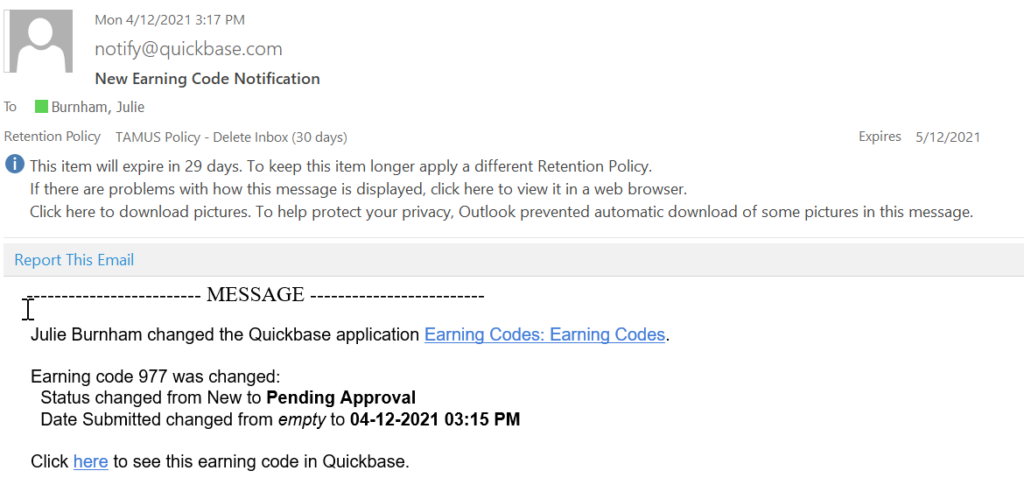
6. Your earning code request has now been submitted and the approval process has been
initiated. You will receive an email alert from QuickBase that informs you that your request
has been submitted.
Primary Sidebar

Links

Earning Codes Database
Object Codes Database

Copyright © 2025 Texas A&M University System All rights reserved.

301 Tarrow Street, College Station, TX 77840 | MAP | Phone: (979) 458-7700 | email: support@tamus.edu
State of Texas | Texas Homeland Security | Texas Veterans Portal | Statewide Search | Risk, Fraud & Misconduct Hotline | Privacy | Web Accessibility | State Link Policy | Campus Carry

Texas A&M University System