
• Skip to primary navigation
  • Skip to main content
  • Skip to primary sidebar
HRConnect Help
Logo, Texas A&M University System, Office of Information Technology
  • Home
  • Getting Started
  • Employees
  • Central Admins
  • FAQ
  • Contacts
  • Office of Information Technology
    • Services
    • Contact the Office of Information Technology
    • Search OIT
Home / Help System Overview / Key Concepts / Key Concepts for Central Administrators

Key Concepts for Central Administrators

The Central Administrator role is used by the HR processors to view an employee’s personal and employment information, as it relates to benefits and payroll documents.  In fact, a Central Administrator has the ability to view virtually all of the screens in HRConnect that an employee can view for themselves.

How To Select an Employee

To view an employee’s documents in HRConnect, an administrator must first select the employee using the Employee Search tool that is available on most screens.
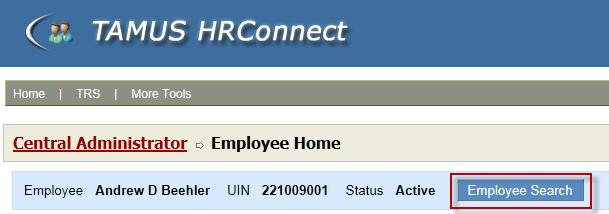
Employee Search button

Clicking the Employee Search button will display the search dialog, which can be used to search by UIN or employee name:

Screenshot of the HRConnect employee search

Note that HRConnect Administrators can only access information for employees in organizational units that he/she has been authorized to manage.

Primary Sidebar

Related Topics

  • Key Concepts for Employees
  • Key Concepts for Central Administrators
  • Key Concepts for System Administrators

Copyright © 2026 Texas A&M University System All rights reserved.

301 Tarrow Street, College Station, TX 77840 | MAP | Phone: (979) 458-7700 | email: support@tamus.edu
State of Texas | Texas Homeland Security | Texas Veterans Portal | Statewide Search | Risk, Fraud & Misconduct Hotline | Privacy | Web Accessibility | State Link Policy | Campus Carry

Texas A&M University System