
• Skip to primary navigation
  • Skip to main content
TrainTraq Help
Logo, Texas A&M University System, Office of Information Technology
  • Home
  • Employees
  • Managers
  • Processors
  • Registrars
  • Administrators
  • FAQs
  • News
  • Office of Information Technology
    • Services
    • Contact the Office of Information Technology
    • Search OIT
Home / Manager Topics / The Reports Page / The Workstation/Adloc Reports Page

The Workstation/Adloc Reports Page

The Workstation/Adloc Reports page allows you to run various reports, including:

  • Course Assignments
  • Course Completions
  • Task Assignments
  • Task Completions

NOTE: Each report type is available in a standard version and in Excel layout. The standard version is formatted to facilitate printing and review, while the Excel version arranges data in columns to allow for sorting and filtering.

To access this page, click the Workstation/Adloc Reports option in the Reports tab.
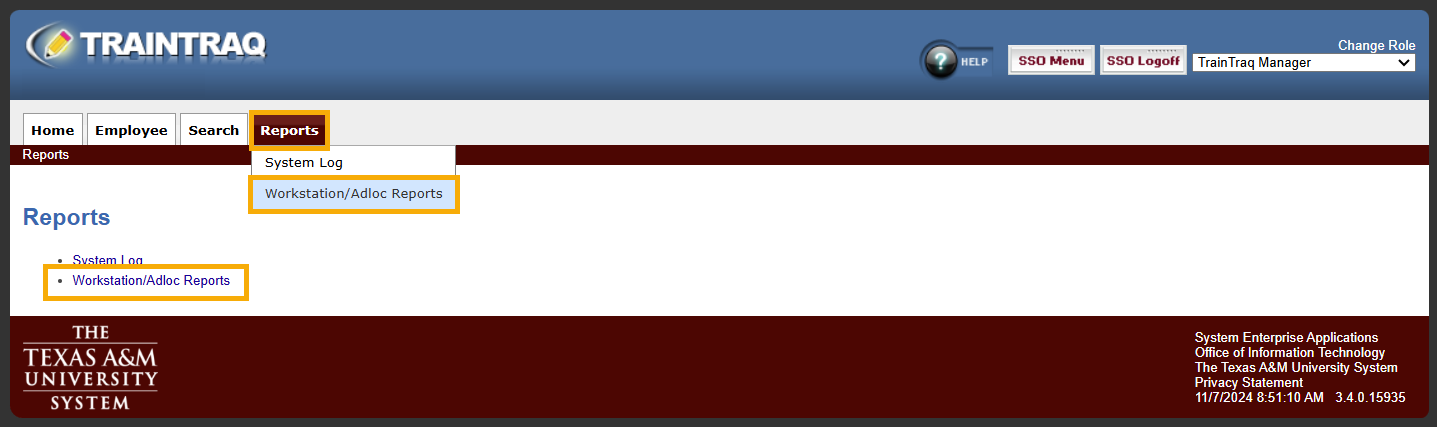
Managers view of the Reports tab with the Workstation/Adloc Reports choice highlighted.

The Workstation/Adloc Reports page defaults to show a Report field. Based on your selection in this field, the page updates to display the appropriate report parameter options.

Manager view of the TAMUS Member/Adloc Reports page with the Report drop-down menu open and highlighted.

To learn more about running various reports, refer to the following:

  • Running Course Assignment and Completion Reports
  • Running Task Assignment and Completion Reports

Copyright © 2025 Texas A&M University System All rights reserved.

301 Tarrow Street, College Station, TX 77840 | MAP | Phone: (979) 458-7700 | email: support@tamus.edu
State of Texas | Texas Homeland Security | Texas Veterans Portal | Statewide Search | Risk, Fraud & Misconduct Hotline | Privacy | Web Accessibility | State Link Policy | Campus Carry

Texas A&M University System